
Your own theme
Describe your server. Get a store that looks like it.
Tell the AI what your server is like and it writes a theme of your own, then changes it when you ask in plain words. Or build one yourself in Twig, starting from any of our themes. Either way, nothing goes live until you publish.
Design with AI
Three servers, three descriptions, three themes. Each one made by the AI in under a minute, from the same store.
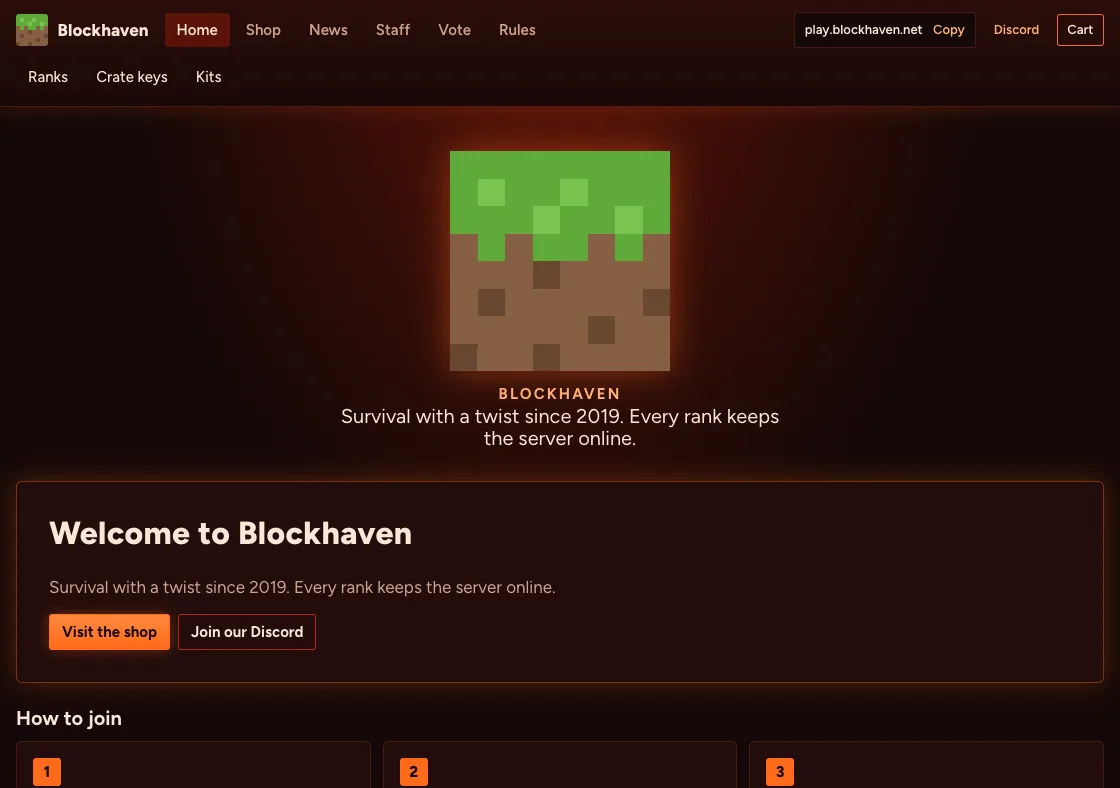
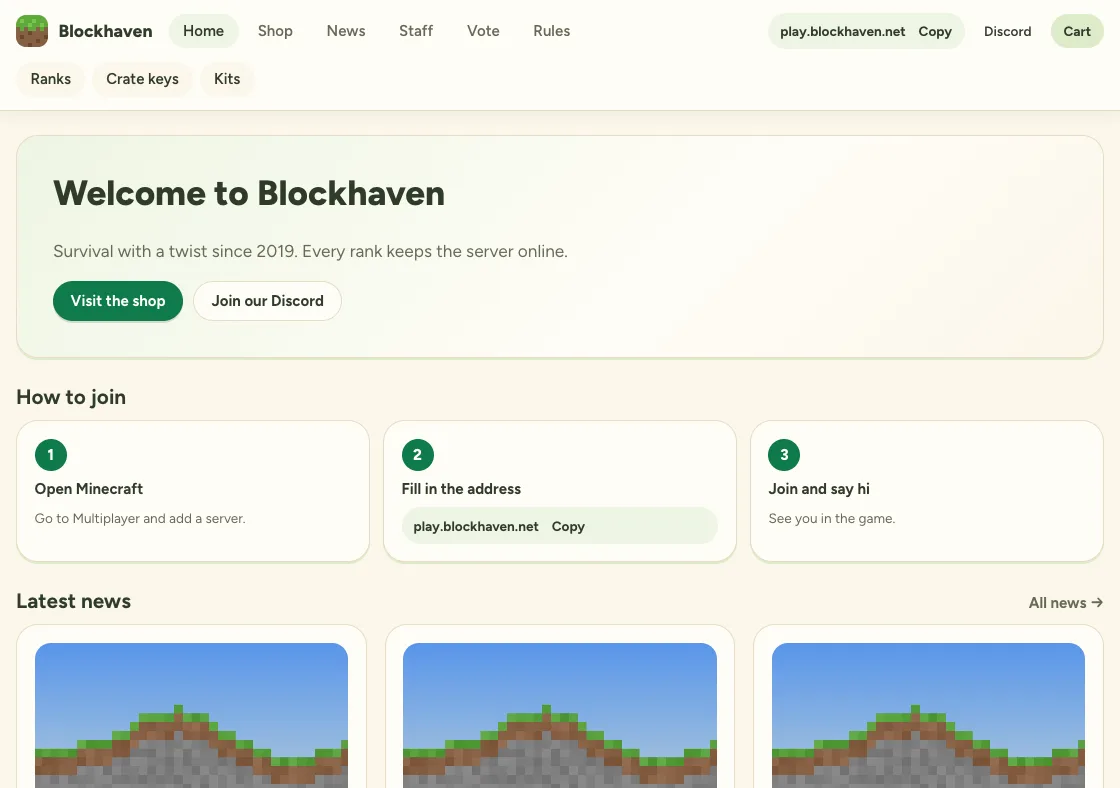
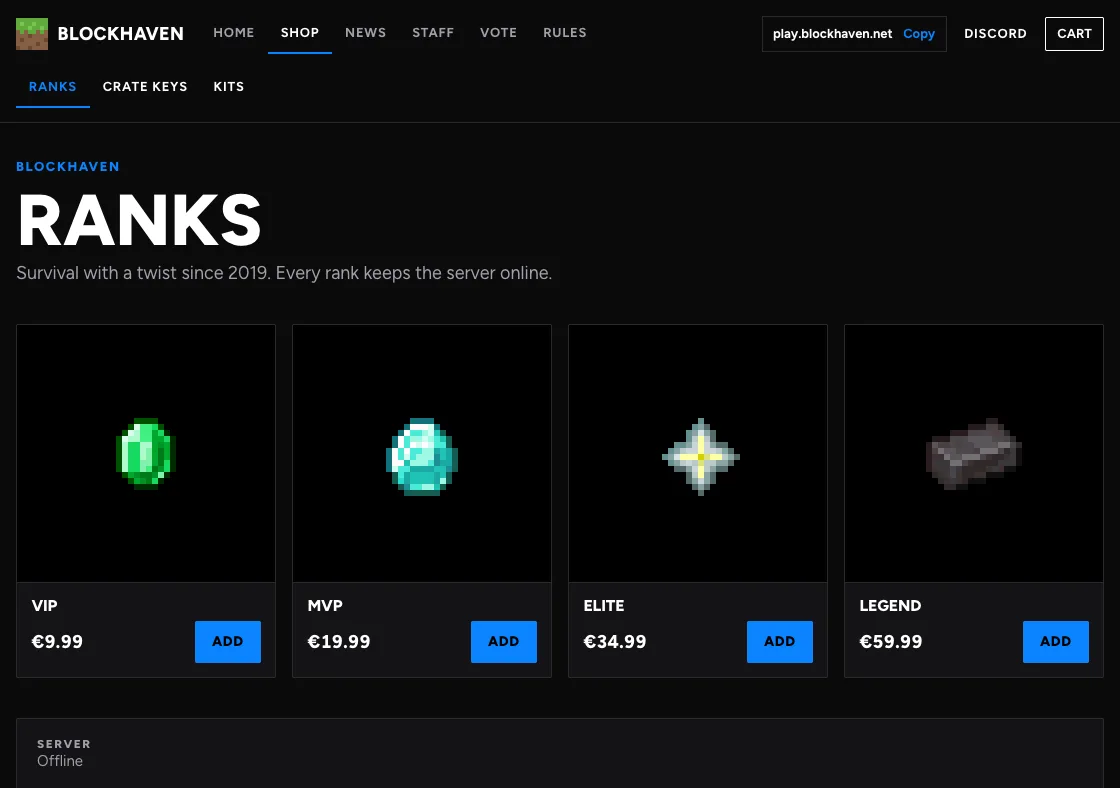
You see it work
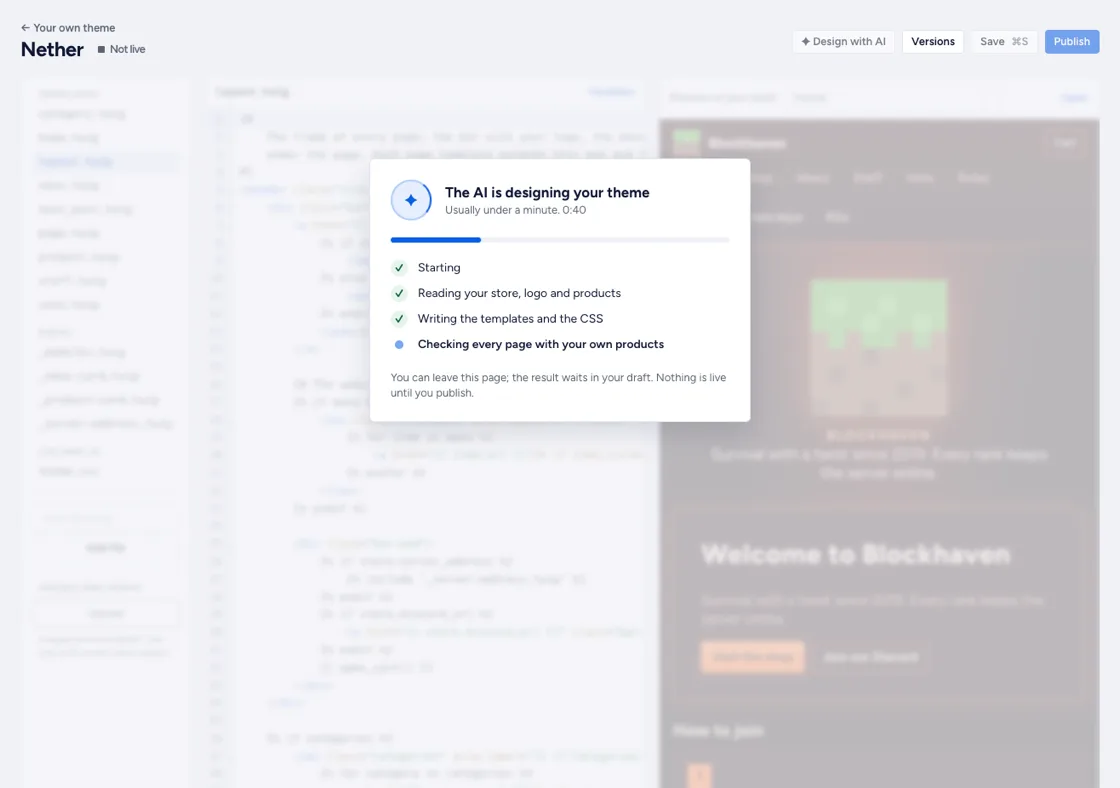
Writing a theme takes a minute. You see which step the AI is in, and every page is checked with your own products before you see the result.
-
Describe it
Your mood, your colours, what players should see first. Add a screenshot of your spawn and the AI takes its colours.
-
Change it in plain words
Make the logo bigger. Show the ranks as tiers. The AI changes only what you ask, and Undo puts it back.
-
Publish when you like it
It stays a draft until you publish. Your players keep seeing your store as it is until then.
Or build it yourself
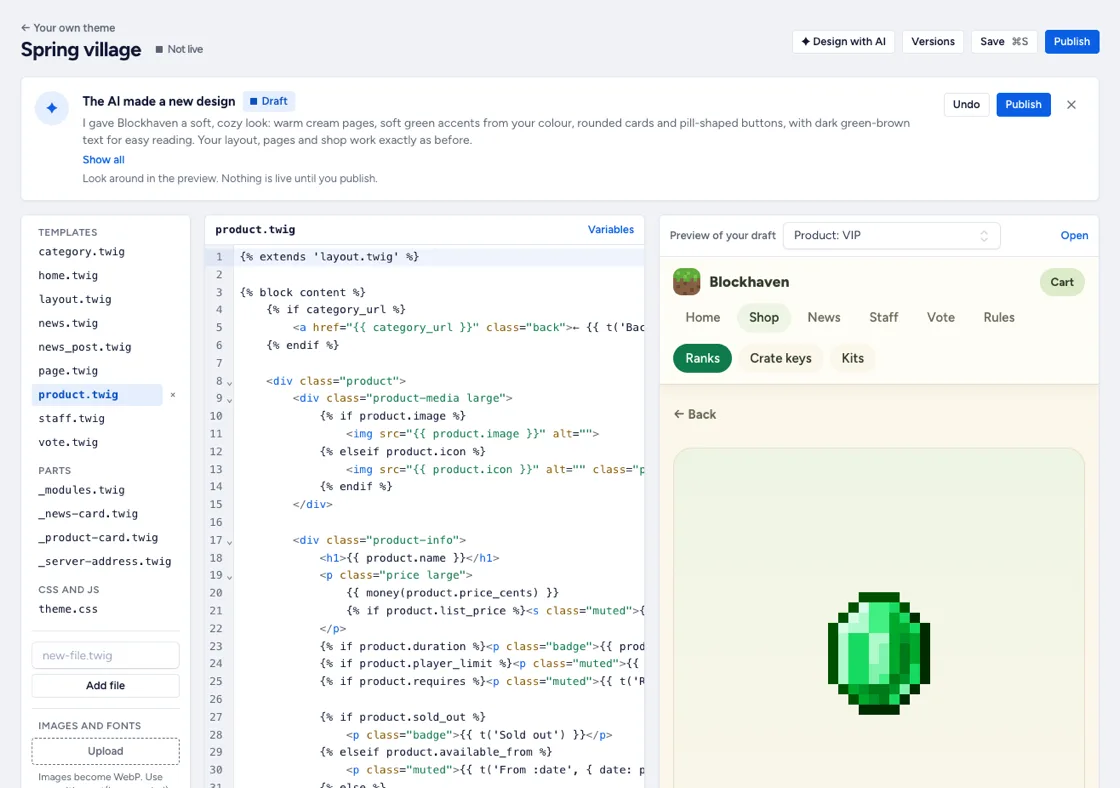
Your own templates in Twig, the language Tebex uses too, with your own CSS, JavaScript, images and fonts. Free on every store.
-
Start from any theme
Classic, Realm or one of the Pro themes, exactly as it looks now. Change what you want, keep the rest.
-
A live preview
Every page of your draft beside the code, with errors shown by file and line.
-
Versions
Every publish is a version. Go back to an earlier one with one click.
-
Safe by design
Templates run in a sandbox, and your checkout keeps a built-in theme. A template can never stop a player from paying.
New to Twig? The docs list every variable and have a guide for Tebex templates.
Questions
Is the AI included?
Design with AI is part of Pro, with a few designs a day for every Pro store. Building a theme yourself in the editor is free on every store.
Can a theme break my store?
No. Before a theme goes live, every page is rendered with your own products. A page that fails shows in your built-in theme, and the checkout always keeps a built-in theme, so players can always pay.
Can I change what the AI made?
Yes. Ask for changes in plain words, like make the logo bigger, or open the files in the editor and change anything. Undo puts your draft back as it was.
I have a Tebex template. Can I bring it?
Tebex templates are Twig too, so your HTML and CSS carry over. The variables differ; our docs have a guide for moving a Tebex template.
Do Tebex, PayNow or CraftingStore have this?
All three let you write your own templates: Tebex on its Plus plan, PayNow on every plan, CraftingStore on a paid plan. A designer that writes the theme for you is not in their docs.
Read next
Your players are already asking for a rank.
Give them a place to buy it. Your store is live in minutes, and it costs nothing until the first sale.